
Lanetalk
Lanetalk BowlingSports
3.71.40K Reviews
- Version
- 5.4.3
- Installs
- 100.00K
- Age Rating
- Everyone
Screenshots


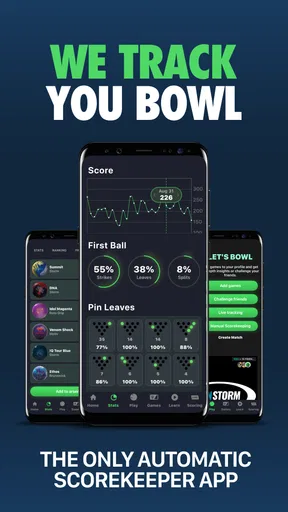
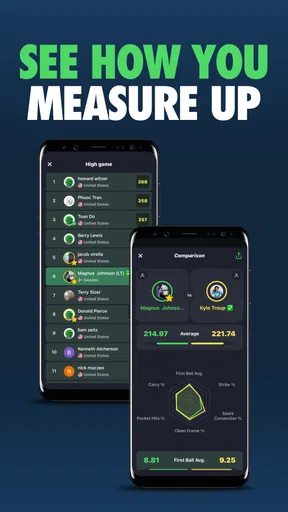
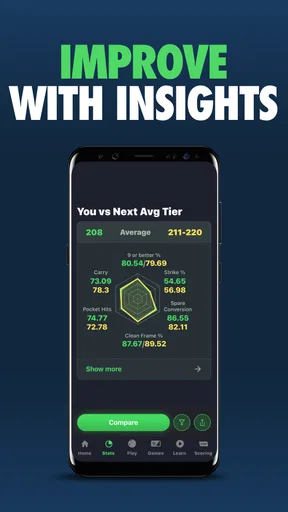
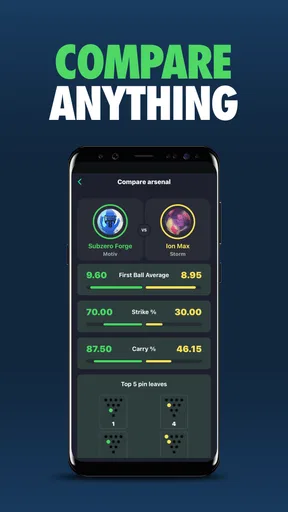

Our Review of Lanetalk
 Analysis by Appyee
I like the idea behind Lanetalk: spend your attention on the approach and the shot, not on remembering every frame afterward. It is a bowling app from Lanetalk Bowling, aimed at people who want their games recorded and their progress easier to follow. The important practical detail is that automatic scoring depends on bowling centers that work with the service, so it is worth checking whether your regular alley participates before building a routine around it.
What the free price does—and does not—tell you
The app is free to download, with in-app purchases listed from $1.99 to $49.99 per item. That makes it easy to try without paying up front, but the range alone does not tell me which purchase is useful for a particular bowler. I would start with the free access, see whether my local center supports the scoring connection, and only consider spending if an offered item clearly matches how I bowl.
That distinction matters because the central value is not simply having another place to type in a score. It is the possibility of having lane results collected automatically at a participating center, then being able to look back at games instead of relying on memory or scraps of paper. If your usual lanes are not connected, the convenience that makes this app distinctive may not be part of your visit.
Where it can earn a place in a bowling routine
For a casual bowler, the best use is a low-effort record of outings: play a few games with friends, then check how the session went later rather than interrupting the fun to keep a manual tally. A regular league player may get more value from having a longer history to review, especially when trying to tell whether a strong night was a one-off or part of a real trend. I would treat the numbers as prompts for reflection, not as a substitute for coaching or deliberate practice.
A useful habit is to review one question after a session instead of staring at every available statistic. For example, compare how consistently you finished games, or note whether your scores tend to dip late in an outing. That keeps the app from becoming a wall of numbers and turns a saved game into something you can act on next time. The practical payoff is strongest when you bowl often enough for comparisons to mean something.
The trade-off behind automatic tracking
Automatic capture is convenient, but it also ties the experience to the center’s scoring setup. If a visit happens at a place that is not connected, or if you bowl somewhere with a different system, a paper scorecard or a simple manual tracker may be the more reliable choice for that session. I would not assume that every bowling alley can feed scores into the app just because the feature exists.
There is also a difference between collecting results and explaining them. A score history can show what happened, but it cannot by itself tell you why a spare was missed or what adjustment to make on the next shot. Bowlers who want technique feedback may be better served by a coach, a practice partner, or a video-based review alongside score tracking. The app is most useful as a record and reference point, rather than a pocket instructor.
Who is likely to get the most from it?
I would recommend trying it if you bowl at a participating center and enjoy seeing your progress over time. It is particularly appealing to regular players who want their scores gathered with less effort, and to friends who like having a shared, competitive reason to return to the lanes. At the same time, someone who bowls only occasionally, prefers not to track results, or mainly visits unconnected alleys may find that a notes app or the center’s own score display is enough.
On Android, the app is listed for devices running version 6.0 or later. It is free to install and rated for Everyone; its average rating is 3.3 from around 3,700 ratings, with over 100,000 installs. Those figures suggest an established bowling-focused audience, though they do not guarantee that the app will suit your local center or personal routine. Its current version is 5.2.7, and the release date was June 19, 2018.
How I’d decide whether to keep it
My simplest test would be to install it before a visit, check whether my usual center is supported, and see whether the score record is useful after a real session. That is a better basis for judging value than paying for an item before knowing whether the core workflow fits. For a bowler who already enjoys reviewing results, a free starting point makes that trial straightforward; for someone who just wants to play without tracking, there is little reason to add another routine.
Making a session more useful
A realistic example is a weekly visit after work. I would bowl normally, avoid checking the phone between every frame, and look at the recorded results once the session ends. If I am practicing for consistency, I can use that record to choose one modest target for the next visit rather than trying to change several parts of my game at once. This keeps attention where it belongs during play and makes the review purposeful afterward.
There is a small but important social trade-off here: shared results can make friendly competition more engaging, but they can also shift a relaxed outing toward score-watching. I would agree with friends beforehand whether the goal is a casual night or a challenge. That way, tracking adds a bit of context without turning every frame into a comparison.
How it compares with familiar alternatives
Compared with writing scores on paper, automatic tracking can save effort and make it easier to revisit a session, provided the center connection works. Compared with using the bowling center’s display alone, a personal app may be more useful when you want to look back across visits rather than only follow the current game. A general notes app is more flexible for recording observations such as how a lane felt, but it requires you to enter the score yourself and does not offer the same bowling-centered workflow.
Those alternatives are not inferior in every situation. A paper card is dependable when you are visiting an unfamiliar alley, and manual notes let you record details that a score alone cannot explain. I would use Lanetalk when automatic capture is available and reviewing scores is part of the fun; I would keep a simple backup for a center where the connection is unavailable or when I want to jot down a specific practice observation.
What to check before relying on it
The first question is whether your regular bowling center participates, because that determines whether the defining convenience is available on your usual nights. The next is whether you want a record for personal improvement, friendly competition, or simply convenience; those are different reasons to keep an app, and not every bowler needs all of them. If you share results, consider whether the people you bowl with are comfortable making the activity more competitive.
I would also give the interface a quick trial during an ordinary visit rather than judging it from a single headline feature. See whether the information you care about is easy to find afterward and whether the app fits naturally around your bowling habits. A score tracker only helps if you actually return to the history and use it; otherwise, even automatic collection becomes another screen you rarely open.
A measured recommendation
Bowling is a specific hobby, and this is a focused tool rather than a general sports tracker. That focus is its appeal: the app is meant for people who want bowling results to follow them beyond the lane. But the same focus narrows its usefulness if you do not bowl regularly, do not care about past scores, or cannot use the connected scoring workflow at your preferred venue.
Overall, I would try it for free if I bowled often and had access to a participating center. I would not buy an in-app item just because it is available; I would first confirm that the basic experience solves a real problem for me. The app’s value is clearest when it quietly removes scorekeeping friction and gives a regular bowler a useful record. If those are not needs you have, a scorecard or the center’s own display is probably enough.
So, I recently had the chance to get my hands on Lanetalk, and let me tell you, it’s quite the gem for all you bowling enthusiasts out there. If you’re someone who loves to hit the lanes and track your progress, this app might just become your new best friend.
What’s Lanetalk All About?
First things first, Lanetalk is your go-to app for everything related to bowling. It’s like having a personal coach right in your pocket. The app allows you to track your games, analyze your performance, and even compete globally. And the best part? It’s super user-friendly. Even if you’re not tech-savvy, navigating through the app is a breeze.
User Experience and Interface
Let’s talk about the interface for a second. The design is clean, intuitive, and doesn’t overwhelm you with too many features at once. The developers clearly focused on making the app accessible to everyone. Whether you’re a casual bowler or a league player, you’ll find it easy to log your scores and get insights into your performance. The app’s dashboard is where all the magic happens, and it’s organized in a way that makes sense at first glance.
Features That Stand Out
What I love about Lanetalk is the variety of features it offers. Here’s a quick rundown:
- Score Tracking: Automatically tracks your scores and stores them for easy access.
- Performance Analysis: Offers detailed analytics to help you improve your game.
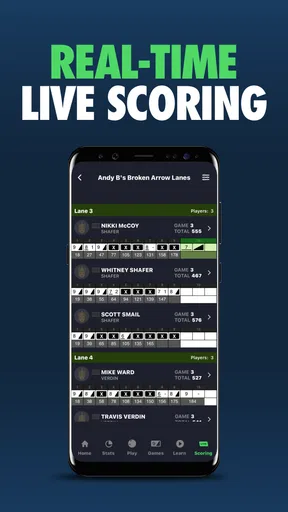
- Connection with Bowling Centers: Syncs with participating centers to provide real-time scoring.
- Global Competitions: Join tournaments and compete with bowlers from around the world.
- Social Sharing: Share your achievements with friends and family.
Each feature feels like it’s been thoughtfully integrated to enhance your bowling experience. For instance, the performance analysis is incredibly detailed. You get insights into your strike rate, average score, and even lane pattern adaptations. It’s like having a coach give you feedback after every game.
Real-Time Scoring and Competitions
One of the standout aspects of Lanetalk is its real-time scoring. Imagine playing at a bowling center and having your scores automatically updated on the app. It’s seamless and adds a layer of excitement, especially when you’re trying to beat your personal best or compete with friends. Plus, the global competitions are a game-changer. You can enter tournaments and see how you stack up against the world. It’s a fun way to challenge yourself and get that competitive edge.
The Social Factor
Lanetalk doesn’t just keep you in your own bubble; it encourages social interaction too. You can connect with friends, share your achievements, and even engage in friendly challenges. It’s like bringing the community aspect of bowling into the digital world. The app does a great job of fostering a sense of camaraderie among users.
Accessibility and Compatibility
Now, let’s talk about accessibility. Lanetalk is available on both Android and iOS, which means you can use it on pretty much any smartphone. The app runs smoothly, and I didn’t encounter any glitches or bugs during my testing. It’s also worth mentioning that the app doesn’t drain your battery, which is a big plus if you’re planning to use it for extended periods.
Final Thoughts
All in all, Lanetalk is a must-have app for anyone passionate about bowling. It’s packed with features that not only enhance your gameplay but also make the overall experience more engaging and fun. Whether you’re looking to improve your skills, compete globally, or just keep track of your scores, Lanetalk has got you covered.
If you’re curious to see how you measure up against bowlers worldwide or simply want to keep tabs on your progress, give it a spin. You won’t be disappointed!
Verdict
Strengths of Lanetalk
- User-friendly interface enhances usability.
- Real-time stats keep players engaged.
- Compatible with multiple bowling centers.
- Detailed performance tracking for improvement.
- Social features encourage community interaction.
Limitations of Lanetalk
- Requires stable internet for optimal use.
- Limited offline features available.
- Some features require in-app purchases.
- Occasional syncing issues reported.
- User interface could be more intuitive.
Similar Picks in This Category
View All
BeSoccer: Soccer Live Score
BeSoccer apps4.3

Cricbuzz - Live Cricket Scores
Cricbuzz.com3.7

NFL
NFL Enterprises LLC2.4

Da Fit
MO YOUNG LIMITED3.6

ESPN
Disney4.5

LiveScore: Live Sports Scores
LiveScore Limited4.5
Frequently Asked Questions
What is Lanetalk and what does it do?
Lanetalk is a bowling app designed to enhance your experience by tracking your scores and statistics in real-time. It connects with various bowling centers worldwide, allowing you to analyze your performance, join global leaderboards, and participate in online tournaments. It's a comprehensive tool for both casual bowlers and competitive players.
Is Lanetalk compatible with all bowling centers?
Lanetalk is compatible with many bowling centers globally, but not all. Before downloading, check the app's website or within the app itself to see if your local center is supported. Compatibility depends on whether the center is equipped with Lanetalk's scoring system integration.
Does Lanetalk require an internet connection to function?
Yes, Lanetalk requires an internet connection to sync your scores, access leaderboards, and participate in tournaments. While you can use some features offline, such as viewing previously downloaded data, full functionality including real-time updates requires connectivity.
Is Lanetalk free to use, or are there in-app purchases?
Lanetalk is free to download and use, offering basic features at no cost. However, it also provides in-app purchases for premium features like advanced analytics and additional tournament entry options. These purchases can enhance your experience but are not necessary for core functionality.
How does Lanetalk ensure the accuracy of my scores?
Lanetalk connects directly with the scoring systems of partnered bowling centers to record scores accurately. This integration minimizes manual input errors and ensures that your data is reflective of your true performance. Always ensure the app is correctly paired with the center’s system for best results.
